
Your team meets as usual. WireSync collects the published transcript for each selected user and starts the follow-up.
Make every Microsoft Teams meeting count.
Cecilia, WireSync's AI meeting follow-up assistant, turns published Teams transcripts into clear summaries, individual tasks with named owners, Dynamics 365 notes and polished follow-up.
Microsoft Teams
Published Teams transcript
Cecilia by WireSync
Meeting Summary
Individual Actions
Deadlines
Follow-up Emails
Decisions & context
Dynamics 365 note
Owned tasks
Outlook follow-up
Built around Microsoft Teams
You choose whose meetings WireSync follows
Each action shows its owner or what needs confirming
You choose what moves automatically
Turn every conversation into progress
Meeting follow-up automation
Move every decision from Microsoft Teams into accountable work.
Choose the colleagues and meetings that need consistent follow-up across your Microsoft 365 organisation.
Keep related work together or split each promise into individual tasks with a clear owner and next step.
Approved work moves automatically when it meets your rules. Anything needing attention goes to Review with the original meeting wording.
Built for teams where follow-up drives results
Recruitment
Professional Services
Management Consulting
Enterprise SaaS
Legal Tech
The WireSync result
Turn every good meeting into visible progress.
From meeting to complete follow-up
Every meeting deserves a complete follow-up.
How Cecilia turns Microsoft Teams transcripts into accountable work.
Your team speaks naturally in Teams. As soon as Microsoft publishes a selected transcript, Cecilia builds the summary, decisions, actions and follow-up your team needs.

Meet naturally in Microsoft Teams
For each selected user, WireSync starts when Microsoft publishes the transcript.
Your people keep the familiar Teams meeting experience.Cecilia understands the conversation
Auto-detect recognises the meeting type and shapes the result for sales, delivery, recruitment, support or audit.
Each meeting gets a result designed for its purpose.Every commitment becomes a clear next step
Cecilia writes the summary, records decisions, separates actions and prepares each follow-up.
One complete result replaces scattered notes.Your team confirms the details
Owners, due dates, Dynamics matches and transcript corrections appear together for quick approval.
The original meeting wording stays beside every important decision.Choose what moves automatically
Approved work follows your automation rules, while anything uncertain arrives in Review.
Your team chooses the balance between speed and oversight.Microsoft 365 stays up to date
Approved results reach connected Dynamics 365, Microsoft To Do, Outlook and calendars.
The follow-up lands where people already work.Build business momentum
Complete meeting follow-up
Prepare for the meeting, capture every outcome and keep work moving in Microsoft 365.
Stage 1
Prepare
- Walk into the next meeting with relevant context already assembled.
- Bring confirmed Dynamics 365 and meeting history into view.
- Use the workspace knowledge your team has approved.
Stage 2
Understand
- Capture summaries, decisions and attendance in one record.
- Turn commitments into grouped work or individual tasks.
- Keep owners, dates and the original meeting wording together.
Stage 3
Act
- Add approved meeting notes to the right Dynamics 365 record.
- Prepare shared Planner actions and create approved Microsoft To Do or calendar items.
- Prepare SharePoint records and approved results for Power Automate flows.
Stage 4
Control
- Choose the users and meetings WireSync follows.
- Ask Cecilia questions and open the source links.
- Track account history and measurable value over time.
Prepare, 1 of 4
Connect the Microsoft tools your team uses today, choose your approval policy and expand the workflow as your business grows.
The WireSync advantage
Finish every meeting with the next move already organised.
WireSync turns the conversation into a complete business result while the context is still fresh.

Cecilia separates promises into clear, trackable work for the right owner.
With a verified connection, the approved note reaches the confirmed existing record.
A polished draft written from the transcript is ready for the meeting owner to check and send.
Owners, dates and CRM matches that need attention appear in Review with the original meeting wording alongside them.
Where it goes
Connect every approved outcome to the right Microsoft 365 tool.
Dynamics 365 / Dataverse
Shows the strongest existing Account, Contact, Opportunity, Lead or Case match, explains why and follows the choice your owner sets for the approved note.
Planner and Microsoft To Do
Creates approved Microsoft To Do tasks and prepares individual actions for verified Planner connections, with owner and due-date checks built in.
Outlook and participant recap
Gives the meeting owner a polished Outlook draft and builds participant recaps around your approval choices.
Outlook, Google and Apple calendars
Converts dates and checkpoints into calendar-ready follow-up for each connected user.
SharePoint / OneDrive
Builds a structured meeting record and supporting files, ready for Review and your SharePoint workflow.
Power Automate
Prepares meeting follow-up for your Power Automate flows, ready to use once your organisation connects the service.
See WireSync at work
See WireSync in action
One transcript becomes a complete meeting follow-up.
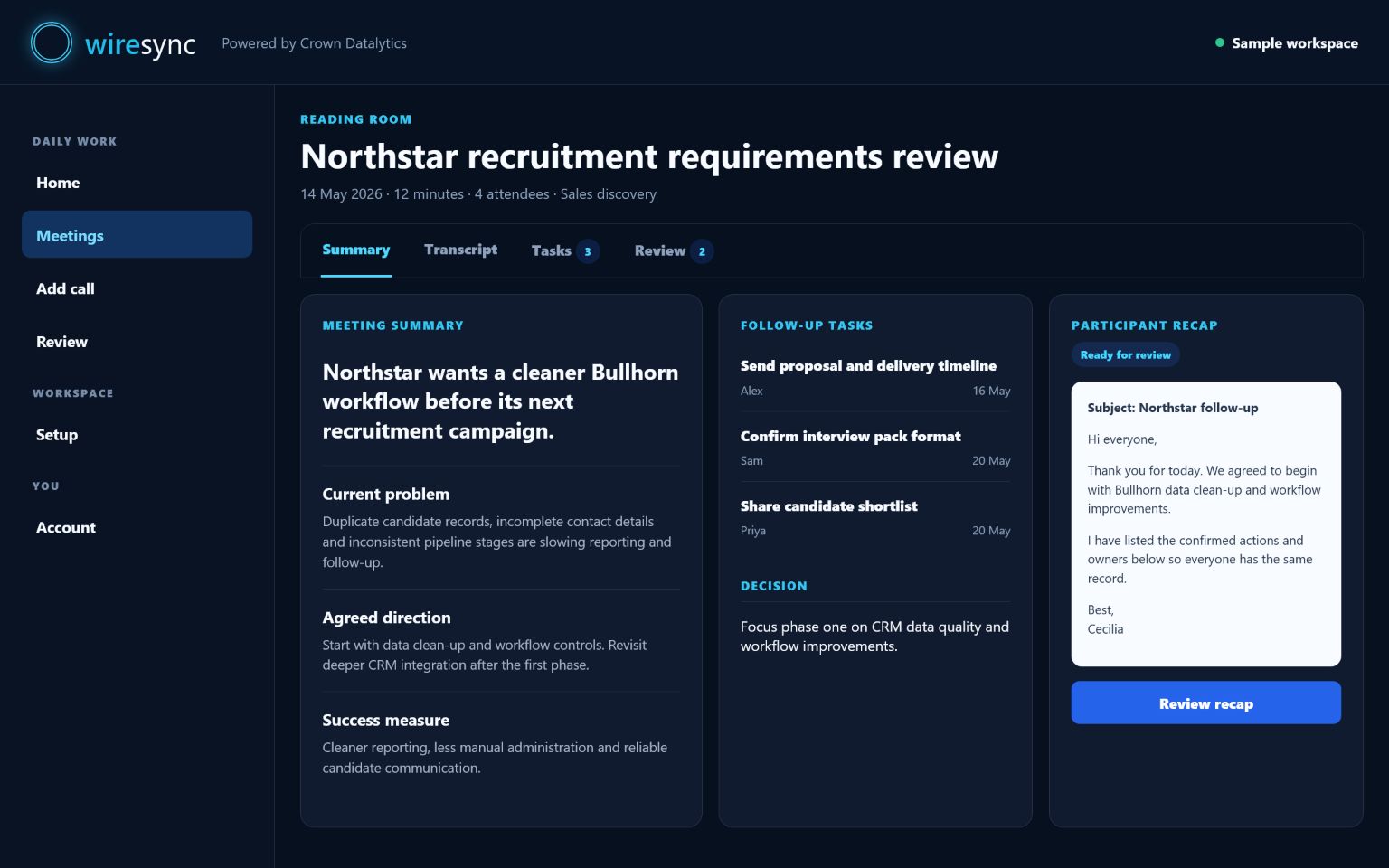
Illustrative WireSync example. This fictional client meeting shows how Cecilia brings the summary, actions, owners, recommendations and connected tools into one clear review.
Client Requirements Review
Output style: Sales follow-up
Summary
The call confirmed the client's shortlist criteria, timeline and decision process. Two follow-up items need approval before CRM and To Do are updated.
Actions
- Send shortlist criteria to Letitia today.
- Schedule account review for Friday.
- Add decision-maker notes to Dynamics opportunity.
Recommended next steps
- Confirm whether budget approval sits with Letitia or the finance lead.
- Check whether the Friday review needs a Teams invite or only an email follow-up.
Dynamics CRM note: Draft ready
Microsoft To Do: 2 ready, 1 needs owner check
Outlook: Draft ready
WireSync meeting result preview
Output styles
Choose the follow-up that fits every meeting.
Auto-detect
Cecilia chooses the output style that best fits the conversation.
The right result, selected automatically.Everyday follow-up
Captures the summary, decisions, actions and next steps.
Regular internal and client meetings.Task capture
Turns spoken task lists into organised work people can complete one item at a time.
Personal planning and team action reviews.Project delivery
Surfaces blockers, dependencies, milestones and dated actions.
Delivery meetings, stand-ups and project reviews.Sales follow-up
Captures needs, objections, buying signals and Dynamics-ready notes.
Opportunities, account reviews and customer calls.Recruitment follow-up
Organises role requirements, shortlists, interviews and feedback.
Client and candidate follow-up.Customer issue
Records the issue, impact, workaround, owner and escalation risk.
Support and service recovery.Executive briefing
Builds a concise picture of context, expectations, risks and decisions.
Leadership briefings and board preparation.Audit note
Creates a faithful record of evidence, decisions and accountable actions.
Compliance, assurance and formal records.Connect every outcome
Integrations
Bring Microsoft Teams follow-up into every place your team works.
Teams and attendance
Turns published transcripts and available attendance reports into one reliable meeting record for the colleagues you choose.
Microsoft Teams remains the familiar meeting experience.Dynamics 365 / Dataverse
Finds the strongest existing-record match, explains why and follows your approval choice for the Dynamics 365 Note.
Choose Review for every note or automate one verified match.Planner and To Do
Creates approved personal Microsoft To Do tasks and prepares individual actions for shared Planner plans.
Keep every owner, Planner plan and due date visible while your organisation completes the Planner connection.Outlook and calendars
Builds polished follow-up drafts, participant recaps and clear calendar checkpoints.
Connect and control each tool separately.Ask Cecilia and briefs
Ask questions across meetings, actions and knowledge your team has approved, with a source link beside every answer.
Turn the same meeting information into a focused pre-meeting brief.SharePoint and Power Automate
Prepares structured meeting records for SharePoint and approved results for your Power Automate flows.
Connect each tool when your organisation is ready.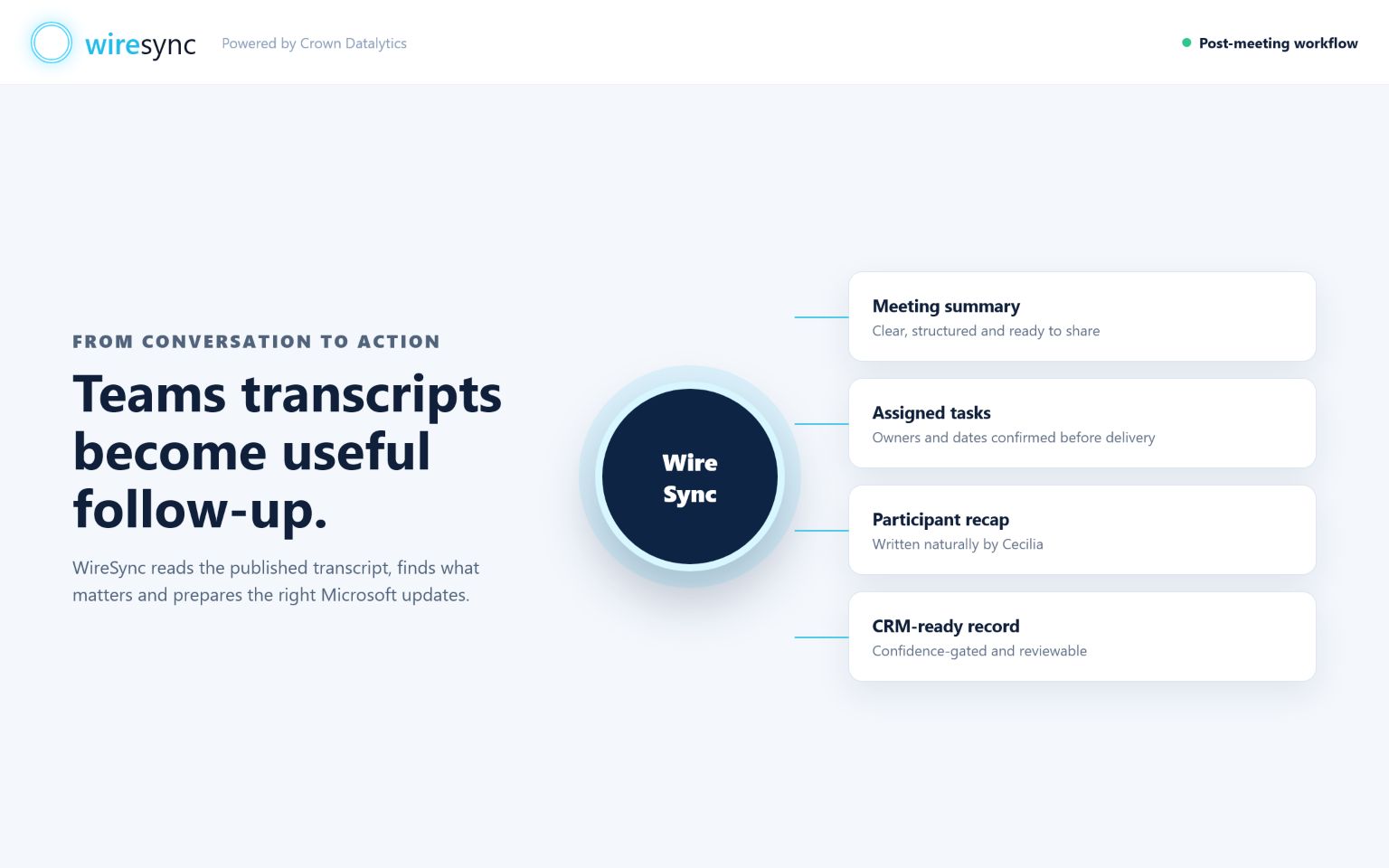
Confidence and control
Keep every automated step connected to the meeting and under your control.
Every summary, action and item sent to a connected tool starts with the meeting itself. Your people can open the original wording, confirm the details and choose the right level of automation.

Choose the right WireSync plan
Common workflows
Choose the WireSync outcome that matters most to your business.
Microsoft Teams meeting follow-upTurn each published transcript into a clear summary, named owners and next steps.
Teams transcripts to clear, assigned tasksShow each commitment with a suggested owner, due date and source.
Dynamics 365 CRM meeting notesSee the strongest existing-record match, understand why and keep Dynamics 365 current with approved meeting notes.
Meet CeciliaSee how WireSync's AI meeting follow-up assistant turns Teams transcripts into clear business action.
See WireSync at workExplore a complete meeting example with concise notes, assigned actions and Dynamics 365 follow-up.
Plans for every stage
Choose the WireSync plan that matches your meetings, team and ambitions.
Paid plan prices show the monthly amount before VAT. Your exact net, VAT and monthly total appear before secure checkout.
Experience complete meeting follow-up.14-day free trial. One verified Microsoft 365 user, 10 meetings and no credit card.See all six plans
Get WireSync working for your team
FAQ
Questions buyers ask before starting
How does WireSync work with Microsoft Teams?
Your team meets naturally in Microsoft Teams. As soon as Microsoft publishes the transcript for a selected user, Cecilia starts building the complete follow-up.
Can WireSync update Dynamics 365 automatically?
Yes. Connect Dynamics 365, choose how you want automation to work and WireSync can add an approved Note to one verified existing record. Anything needing attention appears in Review with the matching evidence.
Can I change the meeting output later?
Yes. Edit the transcript, choose a different output style and ask Cecilia to regenerate the saved result. The earlier version remains in the meeting history.
Can I start with To Do or SharePoint?
Yes. Dynamics 365 is optional, so you can begin with transcript summaries, Microsoft To Do, Outlook drafts, SharePoint-ready records or your WireSync workspace.
Is a credit card required for the trial?
Your trial starts without a credit card and includes 14 days, one verified Microsoft 365 user and 10 meetings.
Put Cecilia to work on your next Microsoft Teams transcript.
Start with one selected user and see the summary, individual tasks with named owners, Dynamics 365 match and polished follow-up in one clear result.
Start your free trial