WireSyncPowered by Crown Datalytics
Start your free trial

WireSync in action

Turn one meeting into actions your team can own.

Fictional worked example. See a concise meeting summary, individual actions and an explained Dynamics 365 match.

See the complete result before you approve the next step.

Client Requirements Review

Sales follow-up

Ready to review

Meeting summary

The call confirmed the shortlist criteria, timeline and decision process. Cecilia has separated five clear actions. The Friday date and Dynamics record are ready for the owner to confirm.

Cecilia's recommendations

  • Confirm whether budget approval sits with the named contact or finance lead.
  • Check whether the Friday review needs a Teams invite or email follow-up.

Individual actions

  1. Send the confirmed shortlist criteria to the client owner.
  2. Ask the client owner who holds budget approval.
  3. Confirm whether the Friday review needs a Teams invite.
  4. Schedule the Friday account review after the date is confirmed.
  5. Add the approved decision-maker note to the matched Dynamics opportunity.

Why WireSync matched this Dynamics record

Dynamics note

Northstar confirmed the shortlist criteria and Friday review. Budget ownership remains unconfirmed. When approved, WireSync can add this note to the chosen opportunity once. New and existing account, contact, lead and opportunity details remain unchanged.

Ready for your connected tools

Dynamics 365: Record match awaiting confirmationMicrosoft To Do: 3 actions ready, 1 waiting for the Friday dateOutlook follow-up: Draft ready for ReviewSharePoint record: Ready for Review

Two quick checks

Confirm the Friday date for action 4 and choose the existing Dynamics opportunity for the meeting note.

Audit trail

WireSync keeps the source, reviewer changes and follow-up decisions available to authorised users.
Confident CRM matching

WireSync shows the strongest existing-record match and follows your rules.

WireSync combines a verified attendee email with the meeting title, company name and domain to rank existing Dynamics records. The strongest match and close alternatives remain clear, so the owner can confirm the right record.

Choose owner review for every update or allow a single, verified existing-record match to continue automatically. Shared addresses, close matches, missing details or a connection that needs attention return to the owner.

WireSync records a successful result after the connected Dynamics organisation confirms that the note was added once. New accounts, contacts, leads, cases and opportunities stay under your CRM team's control.

Your workspace

See every meeting result clearly in light and dark mode.

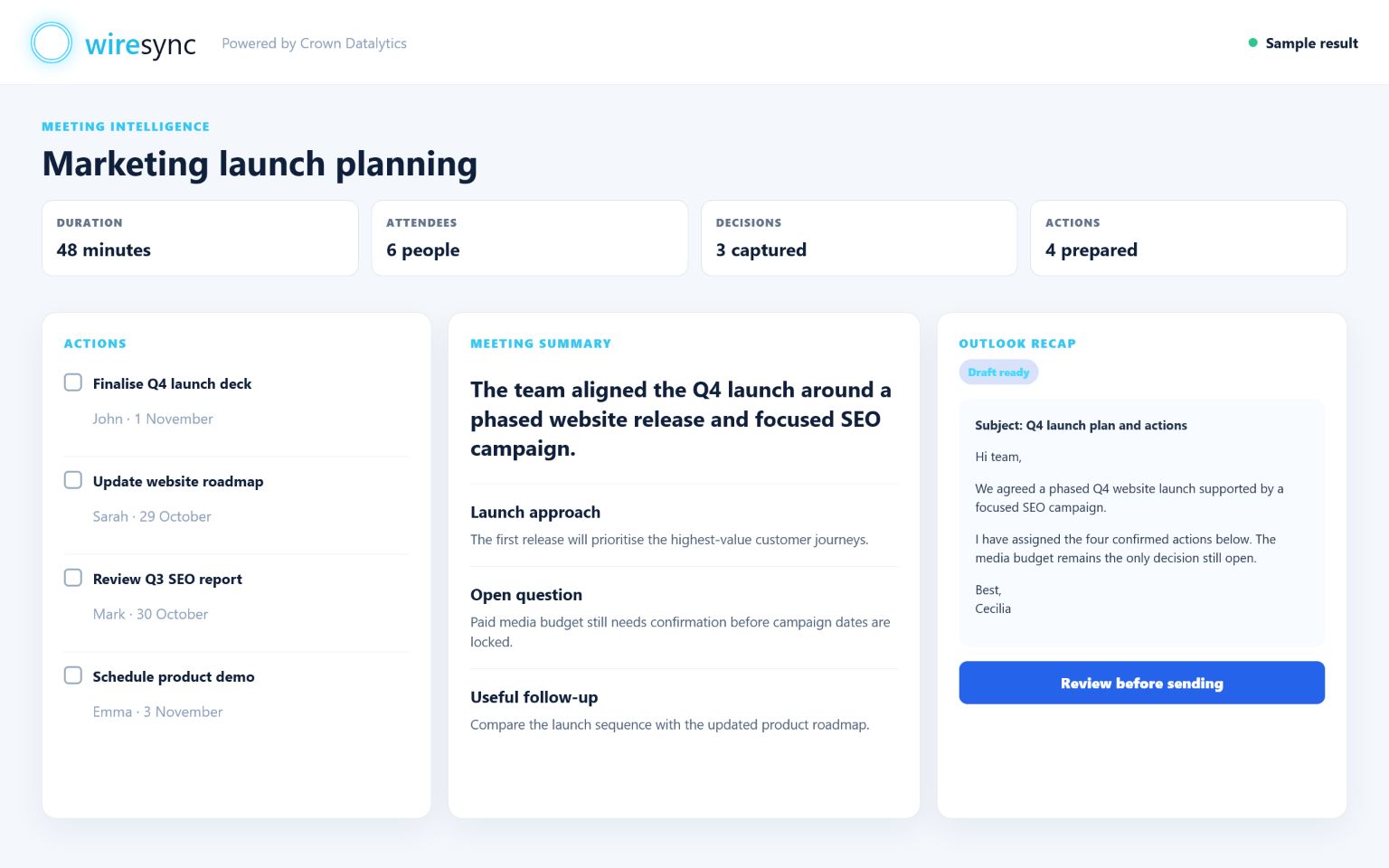
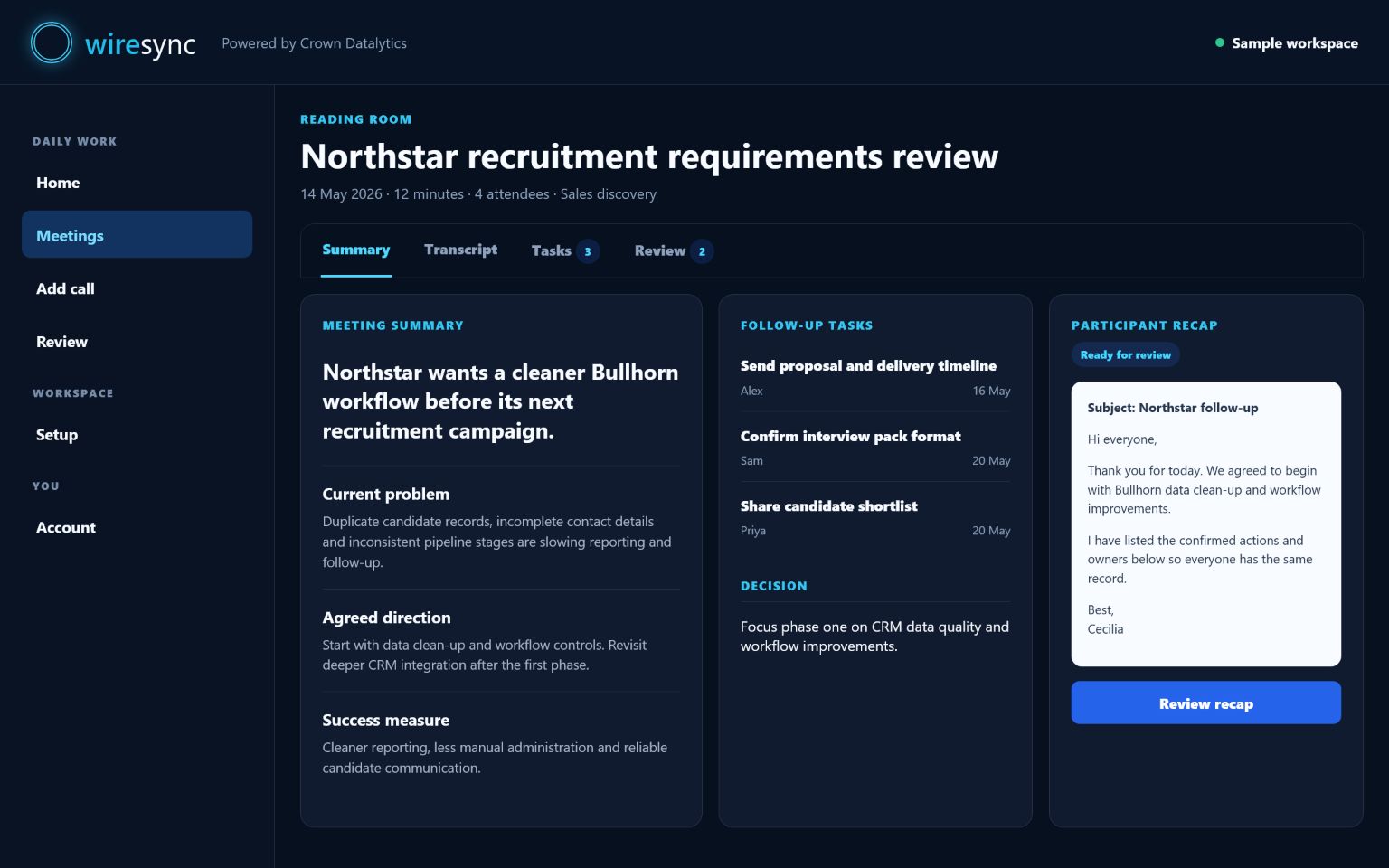
These WireSync views bring the summary, individual actions, participant context and CRM-ready follow-up together in one clear workspace.

Light workspace

WireSync light workspace showing a meeting summary, actions and Outlook follow-up

Dark workspace

WireSync dark workspace showing a meeting summary, follow-up tasks and participant recap

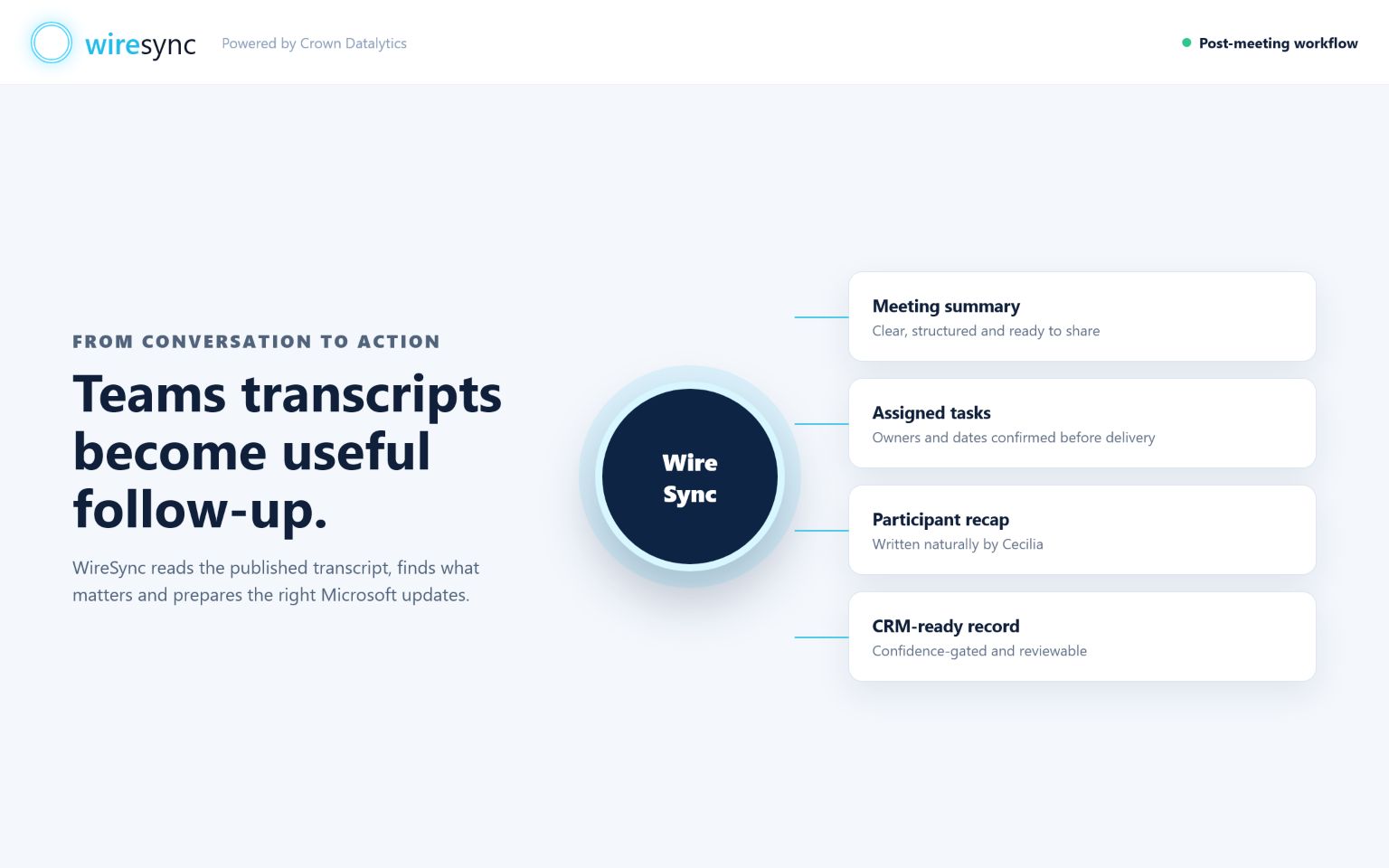
From transcript to action

WireSync workflow from a Teams transcript to a meeting summary, assigned tasks, participant recap and CRM-ready record